Bring Back Old Customers with Customer List Reactivation in Oakland, CA
Expand Your Google Maps Coverage. Get Found in More Local Searches.

What's Covered on This Page
- Warning Signs Your Customer List Has Gone Cold
- The Four-Step Reactivation Process
- When Reactivation Isn't the Right Move
- Questions to Ask Before You Launch a Campaign
- Keeping Customers Engaged After They Reactivate
- How fast can you start reactivating my customer list in Oakland?
- What happens after I book a Customer List Reactivation campaign?
- Why do businesses in Oakland end up with cold customer lists?
- How old is too old for a customer list to reactivate?
- How many contacts do I need before reactivation makes sense?
- Do you need my customers' permission before sending reactivation messages?
Warning Signs Your Customer List Has Gone Cold
Quick Summary: A cold customer list shows up as fewer repeat bookings, no response to promos, and a Google Business Profile with review activity that's slowed way down. If your last review came in months ago and old customers aren't calling back, your list needs work, not more new-customer marketing.
Here's what nobody tells you: a full customer list isn't the same as an active one. We pull up a client's spreadsheet and see 800 names, then check the last booking date and half of them haven't shown up in over a year. That's not a customer list anymore. That's a graveyard.
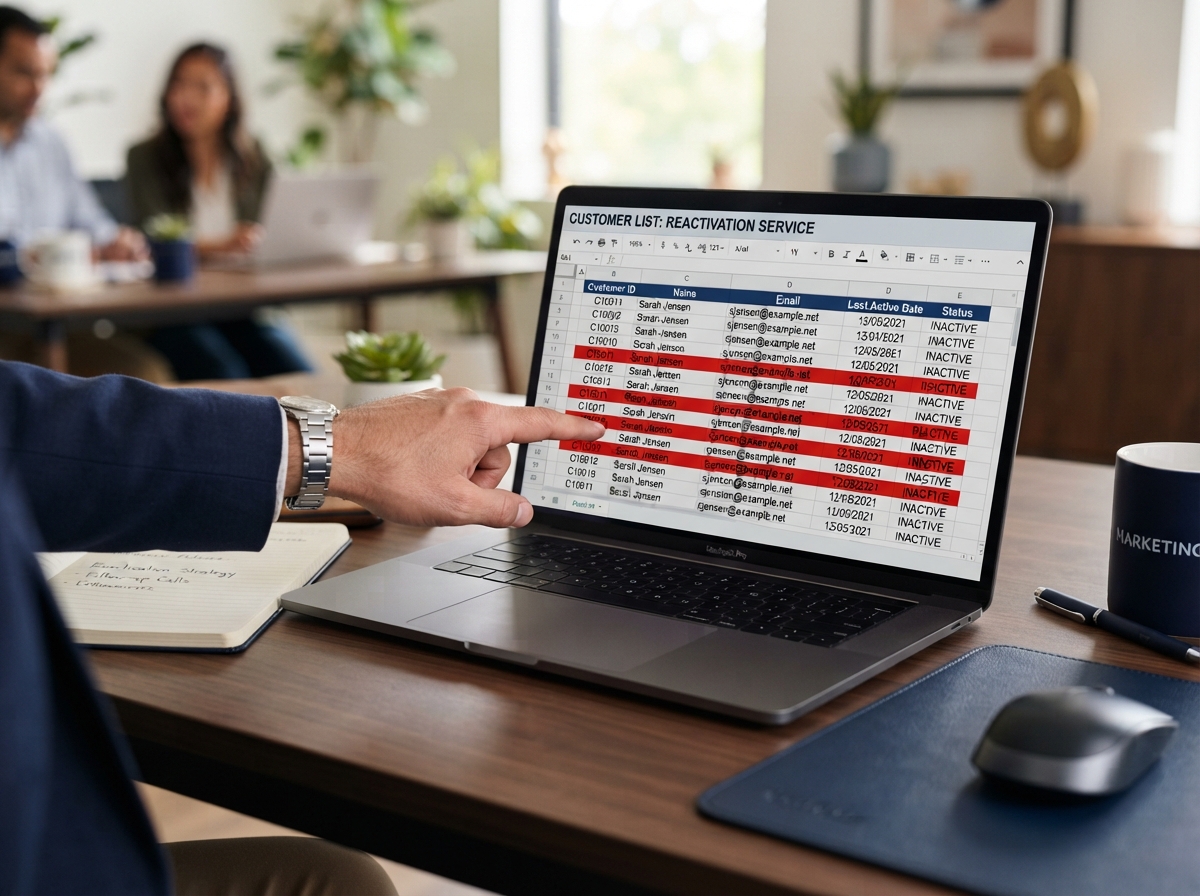
So how do you know if yours has gone cold? Start with your calendar.
- Repeat bookings have dropped off, most of your work now comes from brand new customers instead of returning ones
- You send a promo or reminder text and hear nothing back, not even a reply saying 'not right now'
- Your Google reviews have slowed to a trickle, past customers aren't leaving new ones or mentioning you to friends
- You can't remember the last time an old customer called without you reaching out first
- Your list has phone numbers and emails that bounce or are no longer active
It's not that customers didn't like the work. They just forgot you exist, life got busy, and nobody followed up.
This matters for your visibility too. Businesses with steady repeat customers tend to rack up reviews faster. Review volume helps you show up higher in Google Maps results for your area.
The Four-Step Reactivation Process
Here's the thing about an old customer list. It's not junk. It's a stack of people who already trust your business enough to buy once. Our job is to wake that list back up, and we do it the same way every time.
- Pull and clean the list. We start by pulling every past customer, then cutting bad numbers, duplicate emails, and anyone who's already opted out. A messy list wastes the outreach.
- Segment by recency and value. Someone who bought six months ago gets a different message than someone from three years back. One size fits nobody here.
- Send the reactivation sequence. This runs through SMS marketing and email marketing, usually a short series, not one blast. We're offering a reason to come back, not just saying hello.
- Track responses and hand off warm leads. Every reply, click, or booking request gets flagged so you or your team can follow up fast, while the interest is still fresh.
That fourth step is where most businesses drop the ball. We see this every week. Someone runs a reactivation blast, gets replies, and then nobody follows up for three days. By then the customer's already called someone else.
The whole point is speed and structure, not a bigger list. A list of 500 dormant customers with a tight four-step process usually beats a list of 5,000 with no plan at all.
When Reactivation Isn't the Right Move
Not every list is worth reactivating. If you've got less than a couple hundred contacts, the math usually doesn't work. Fewer names mean fewer responses. The effort to set up campaigns and sequences eats up any gain.

Same goes for a list that's five or more years old with no updates. Phone numbers change, emails bounce, people move out of the area. We've pulled lists where over half the contacts were dead on arrival. That's not a reactivation project, that's a rebuild.
There's another case we see a lot around here. A contractor gets excited about reactivation, texts out an offer, and then can't answer the phone when twenty people call back in the same afternoon. If your team can't handle a spike in calls or bookings right now, reactivation just creates a new problem. Fix your intake first, whether that's missed call text back or someone dedicated to answering, then come back to the list.
If your past customers left because of a bad experience, no campaign fixes that. A well written text won't undo a rocky job or a slow response from years ago. Reactivation works on customers who liked you and just drifted. It doesn't work as a repair tool for damaged trust.
So before you spend money reactivating a list, ask yourself three things. Is the list big enough to matter? Is it recent enough to still be accurate? Can your business handle the response? If the answer to any of those is no, that's the real answer, not a reason to skip the step and hope.
Need help with Customer List Reactivation?
Get My Free Maps Scan. Thompson-SEO-Experts is ready to help.
Questions to Ask Before You Launch a Campaign
Not every list is ready to be texted or emailed. Before you launch a Customer List Reactivation campaign, ask the provider a few pointed questions. If they can't answer clearly, that's a red flag.
- How do you check that my contacts opted in, and how do you handle the ones that didn't?
- What happens to bounced emails and disconnected phone numbers, do they get cleaned out or left sitting in the list?
- Can you connect this to my other tools, like missed call text back or a website chatbot, so leads don't fall through twice?
- What does a normal response pattern look like, and how soon will I start seeing replies?
- Who writes the messages, and can I see them before anything goes out?
We get asked about consent more than almost anything else. A business already has permission, they just haven't used it. Old customers who booked a service, filled out a form, or called your shop are usually fair game for a reactivation message. Cold-purchased lists are a different story, and we won't touch those.
Ask about tracking too. A real campaign should tell you how many messages went out, how many people opened or replied, and how many turned into booked jobs. If a provider can't show you that, you're flying blind.
One more thing: does this connect to your other systems? SMS Marketing and Email Marketing work best when they're not sitting alone. They should tie into the same reputation and review tools driving your Google Business Profile.
Keeping Customers Engaged After They Reactivate
Getting a reply is the easy part. What you do in the next 48 hours decides if that customer sticks around or goes quiet again.

We see this every week. A customer texts back, someone on the team gets busy, and the reply sits for two days. By then the moment's gone. Speed matters as much as the message itself.
This is where Customer List Reactivation connects to the rest of your setup. If a missed-call text back system is running, replies get caught automatically. If review generation is part of your routine, a happy reactivated customer becomes a fresh review. This helps your Google Maps visibility too. These pieces aren't separate projects, they work together.
- Reply within the same business day, not the same week
- Confirm the booking or answer with a real person, not another automated blast
- Ask for a review once the job's done, while it's still fresh
- Add them back into your SMS marketing or email marketing list for future updates
- Track who responded so you don't re-send the same message next quarter
Some owners think reactivation ends once the phone rings. It doesn't. The real win is turning a name on a spreadsheet into a repeat customer who books again next season. Maybe they even leave you a five-star review that a future customer sees on Google Maps before they ever call.
Frequently Asked Questions
Common questions about Customer List Reactivation in Oakland, CA
How fast can you start reactivating my customer list in Oakland?
Most campaigns start within a few days of your free Maps scan call. We pull your list, clean out bad numbers and dead emails, then build the outreach sequence before anything goes out. Businesses in Oakland often have lists sitting untouched for a year or more, so the cleanup step usually takes longer than the actual send. Once the list is sorted, the SMS and email sequence can launch fast, and replies typically start coming in within the first day or two.
What happens after I book a Customer List Reactivation campaign?
You get a four-step process: list cleanup, segmenting by recency, sending the reactivation sequence, then tracking every reply. First, we cut duplicates and bad contacts from your spreadsheet. Next, we split customers by how recently they bought, since a six-month-old lead needs a different message than a three-year-old one. Then the SMS and email sequence goes out in a series, not one blast. Every response gets flagged so you can follow up while the customer is still interested, not three days later.
Why do businesses in Oakland end up with cold customer lists?
Local businesses in Oakland lose touch with customers the same way most shops do, repeat visits slow down and nobody notices until reviews dry up. Review activity is tied to local search visibility, so a business that used to get steady repeat bookings starts sliding in Google Maps results without knowing why. Customers didn't have a bad experience, they just got busy and forgot to call back. A dormant list is common in this area, but it's fixable with the right cleanup and outreach sequence.
How old is too old for a customer list to reactivate?
A list older than five years with no updates usually isn't worth reactivating as-is. We've pulled lists where more than half the phone numbers and emails were dead on arrival. Numbers change, people move, and emails bounce faster than most business owners expect. That kind of list needs a rebuild, not a reactivation campaign. If your list is a year or two old and mostly current, it's a much better candidate for the four-step process.
How many contacts do I need before reactivation makes sense?
You need at least a couple hundred contacts for reactivation to pay off. Fewer names mean fewer responses, and the setup work for segmenting and sequencing eats up any gain you'd get from a small list. A tight list of 500 dormant customers with a clear four-step process usually beats a messy list of 5,000 with no plan. If your list is smaller than that, your money is better spent elsewhere until it grows.
Do you need my customers' permission before sending reactivation messages?
Yes, but you already have it if a customer booked, called, or filled out a form with your business before. That counts as opting in, so reaching back out to wake them up is fair game. What we won't touch is a cold-purchased list you bought from somewhere else, since those contacts never agreed to hear from you. Before any campaign launches, we check how your contacts opted in and clean out anyone who already asked to be left alone.
Ready to Get Started?
Get My Free Maps Scan. Call (408) 439-9589 today.
Related Services
SMS Marketing
Text messages have a 98% open rate. For Oakland service businesses, SMS marketing is one of the most direct, immediate w...
Learn moreEmail Marketing
Email remains one of the highest-ROI marketing channels for local businesses. We build email campaigns that keep Oakland...
Learn moreReputation Management
Your online reputation is your most visible marketing asset. We help Oakland businesses monitor, build, and protect thei...
Learn more